A4 vs US Letter (8.5×11): What’s the Difference — and Which One Should You Print?
Discover the key differences between A4 (210×297 mm) and US Letter (8.5×11 in) paper sizes. Learn why PDFs for coloring pages crop on the wrong setting, plus the best print options ("Fit to page" vs 100%) to avoid margins issues and get perfect results every time.
•4 min read
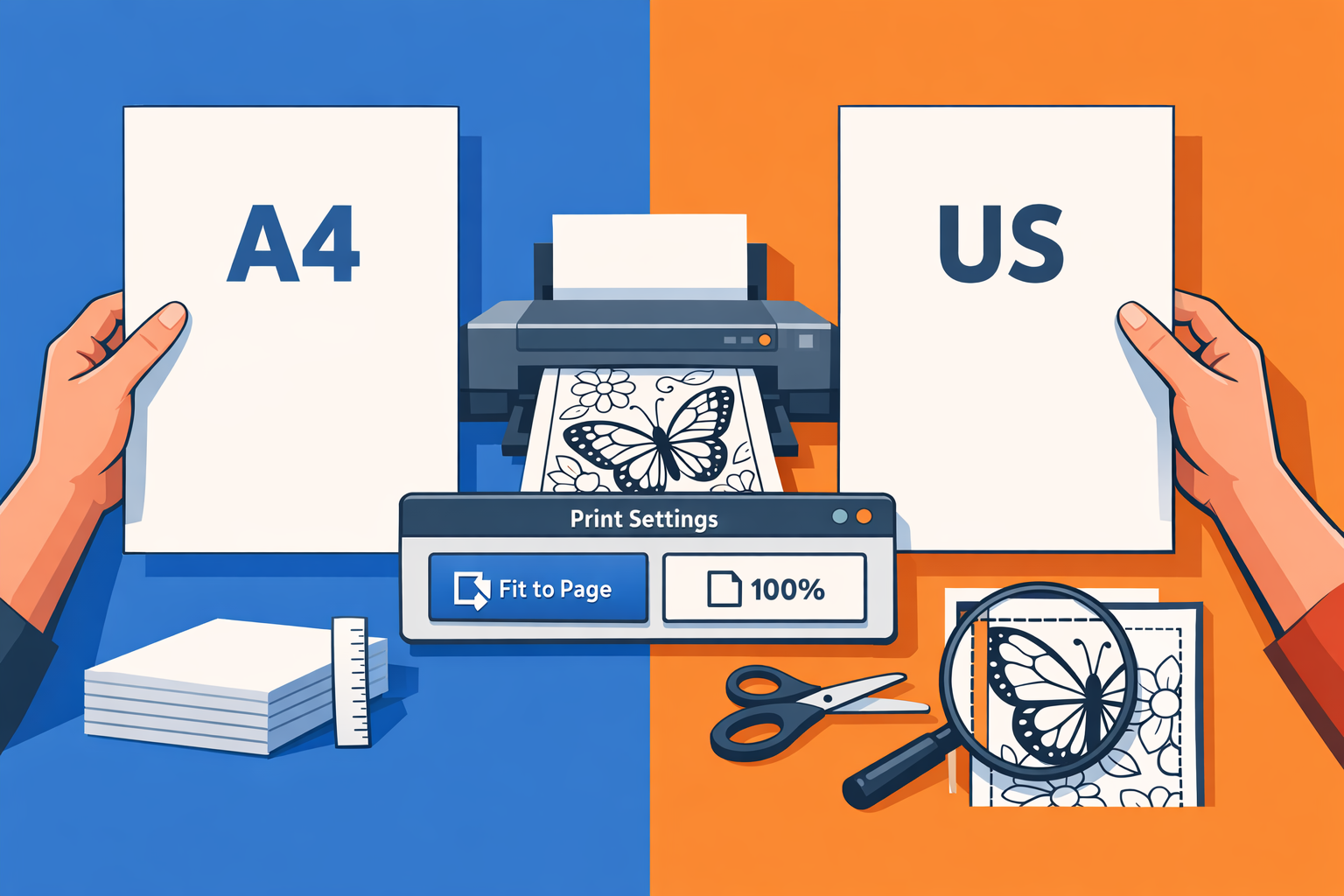
var Component=(()=>{var p=Object.create;var a=Object.defineProperty;var g=Object.getOwnPropertyDescriptor;var u=Object.getOwnPropertyNames;var f=Object.getPrototypeOf,m=Object.prototype.hasOwnProperty;var y=(i,n)=>()=>(n||i((n={exports:{}}).exports,n),n.exports),b=(i,n)=>{for(var r in n)a(i,r,{get:n[r],enumerable:!0})},l=(i,n,r,s)=>{if(n&&typeof n=="object"||typeof n=="function")for(let t of u(n))!m.call(i,t)&&t!==r&&a(i,t,{get:()=>n[t],enumerable:!(s=g(n,t))||s.enumerable});return i};var w=(i,n,r)=>(r=i!=null?p(f(i)):{},l(n||!i||!i.__esModule?a(r,"default",{value:i,enumerable:!0}):r,i)),k=i=>l(a({},"__esModule",{value:!0}),i);var o=y((P,h)=>{h.exports=_jsx_runtime});var x={};b(x,{default:()=>d});var e=w(o());function c(i){let n={a:"a",h2:"h2",h3:"h3",hr:"hr",li:"li",p:"p",span:"span",strong:"strong",ul:"ul",...i.components};return(0,e.jsxs)(e.Fragment,{children:[(0,e.jsxs)(n.p,{children:["If you\u2019ve ever downloaded a printable PDF and thought \u201Cwhy is it slightly cut off?\u201D or \u201Cwhy are the margins weird?\u201D, there\u2019s a good chance you\u2019re running into a ",(0,e.jsx)(n.strong,{children:"paper size mismatch"}),": ",(0,e.jsx)(n.strong,{children:"A4 vs US Letter"}),"."]}), ,(0,e.jsxs)(n.p,{children:["In this guide, you\u2019ll learn the exact size differences, what happens when you print one on the other, and the best print settings to avoid cropping\u2014especially for ",(0,e.jsx)(n.strong,{children:"printable coloring pages"}),"."]}), ,(0,e.jsx)(n.p,{children:(0,e.jsx)(n.strong,{children:"Quick links (printable PDFs to try):"})}), ,(0,e.jsxs)(n.ul,{children:[ ,(0,e.jsxs)(n.li,{children:[ ,(0,e.jsx)(n.p,{children:(0,e.jsx)(n.a,{href:"/minions-coloring-pages",children:"Minions Coloring Pages"})}), ]}), ,(0,e.jsxs)(n.li,{children:[ ,(0,e.jsx)(n.p,{children:(0,e.jsx)(n.a,{href:"/super-mario-coloring-pages",children:"Super Mario Coloring Pages"})}), ]}), ,(0,e.jsxs)(n.li,{children:[ ,(0,e.jsx)(n.p,{children:(0,e.jsx)(n.a,{href:"/hello-kitty-coloring-pages",children:"Hello Kitty Coloring Pages"})}), ]}), ]}), ,(0,e.jsx)(n.hr,{}), ,(0,e.jsxs)(n.h2,{id:"a4-vs-us-letter-size-comparison-inches--mm",children:[(0,e.jsx)(n.a,{"aria-hidden":"true",tabIndex:"-1",href:"#a4-vs-us-letter-size-comparison-inches--mm",children:(0,e.jsx)(n.span,{className:"icon icon-link"})}),"A4 vs US Letter: size comparison (inches + mm)"]}), ,(0,e.jsx)(n.p,{children:"Here\u2019s the simple truth:"}), ,(0,e.jsxs)(n.ul,{children:[ ,(0,e.jsxs)(n.li,{children:[ ,(0,e.jsxs)(n.p,{children:[(0,e.jsx)(n.strong,{children:"US Letter"})," is the standard paper size in the United States (and common in Canada/Mexico for home printing)."]}), ]}), ,(0,e.jsxs)(n.li,{children:[ ,(0,e.jsxs)(n.p,{children:[(0,e.jsx)(n.strong,{children:"A4"})," is the standard paper size in most other countries (Europe, UK, Australia, many parts of Asia, etc.)."]}), ]}), ]}), ,(0,e.jsxs)(n.h3,{id:"dimensions-table",children:[(0,e.jsx)(n.a,{"aria-hidden":"true",tabIndex:"-1",href:"#dimensions-table",children:(0,e.jsx)(n.span,{className:"icon icon-link"})}),"Dimensions table"]}), ,(0,e.jsxs)(n.p,{children:["Paper size Inches Millimeters (mm) ",(0,e.jsx)(n.strong,{children:"US Letter"})," ",(0,e.jsx)(n.strong,{children:"8.5 \xD7 11 in"})," ",(0,e.jsx)(n.strong,{children:"216 \xD7 279 mm"})," ",(0,e.jsx)(n.strong,{children:"A4"})," ",(0,e.jsx)(n.strong,{children:"8.27 \xD7 11.69 in"})," ",(0,e.jsx)(n.strong,{children:"210 \xD7 297 mm"})]}), ,(0,e.jsxs)(n.h3,{id:"whats-the-difference",children:[(0,e.jsx)(n.a,{"aria-hidden":"true",tabIndex:"-1",href:"#whats-the-difference",children:(0,e.jsx)(n.span,{className:"icon icon-link"})}),"What\u2019s the difference?"]}), ,(0,e.jsxs)(n.ul,{children:[ ,(0,e.jsxs)(n.li,{children:[ ,(0,e.jsxs)(n.p,{children:[(0,e.jsx)(n.strong,{children:"A4 is slightly narrower"})," than Letter (210mm vs 216mm)."]}), ]}), ,(0,e.jsxs)(n.li,{children:[ ,(0,e.jsxs)(n.p,{children:[(0,e.jsx)(n.strong,{children:"A4 is noticeably taller"})," than Letter (297mm vs 279mm)."]}), ]}), ]}), ,(0,e.jsx)(n.p,{children:"So A4 is \u201Cskinnier and longer,\u201D while Letter is \u201Cwider and shorter.\u201D"}), ,(0,e.jsx)(n.hr,{}), ,(0,e.jsxs)(n.h2,{id:"is-a4-bigger-than-us-letter",children:[(0,e.jsx)(n.a,{"aria-hidden":"true",tabIndex:"-1",href:"#is-a4-bigger-than-us-letter",children:(0,e.jsx)(n.span,{className:"icon icon-link"})}),"Is A4 bigger than US Letter?"]}), ,(0,e.jsxs)(n.p,{children:["Overall, ",(0,e.jsx)(n.strong,{children:"A4 has more area"})," than US Letter."]}), ,(0,e.jsxs)(n.p,{children:["That extra height is the main reason a PDF designed for A4 can get ",(0,e.jsx)(n.strong,{children:"cropped"})," when printed on Letter\u2014unless your printer scales it down automatically."]}), ,(0,e.jsx)(n.hr,{}), ,(0,e.jsxs)(n.h2,{id:"what-happens-if-you-print-a4-on-letter-and-vice-versa",children:[(0,e.jsx)(n.a,{"aria-hidden":"true",tabIndex:"-1",href:"#what-happens-if-you-print-a4-on-letter-and-vice-versa",children:(0,e.jsx)(n.span,{className:"icon icon-link"})}),"What happens if you print A4 on Letter (and vice versa)?"]}), ,(0,e.jsxs)(n.h3,{id:"printing-an-a4-pdf-on-us-letter-paper",children:[(0,e.jsx)(n.a,{"aria-hidden":"true",tabIndex:"-1",href:"#printing-an-a4-pdf-on-us-letter-paper",children:(0,e.jsx)(n.span,{className:"icon icon-link"})}),"Printing an A4 PDF on US Letter paper"]}), ,(0,e.jsx)(n.p,{children:"Common outcomes:"}), ,(0,e.jsxs)(n.ul,{children:[ ,(0,e.jsxs)(n.li,{children:[ ,(0,e.jsxs)(n.p,{children:[(0,e.jsx)(n.strong,{children:"Bottom gets cut off"})," (because Letter is shorter)."]}), ]}), ,(0,e.jsxs)(n.li,{children:[ ,(0,e.jsxs)(n.p,{children:["Or the printer/app auto-scales (\u201CFit to page\u201D), which can make content ",(0,e.jsx)(n.strong,{children:"slightly smaller"})," than intended."]}), ]}), ]}), ,(0,e.jsxs)(n.h3,{id:"printing-a-us-letter-pdf-on-a4-paper",children:[(0,e.jsx)(n.a,{"aria-hidden":"true",tabIndex:"-1",href:"#printing-a-us-letter-pdf-on-a4-paper",children:(0,e.jsx)(n.span,{className:"icon icon-link"})}),"Printing a US Letter PDF on A4 paper"]}), ,(0,e.jsx)(n.p,{children:"Common outcomes:"}), ,(0,e.jsxs)(n.ul,{children:[ ,(0,e.jsxs)(n.li,{children:[ ,(0,e.jsxs)(n.p,{children:["You usually get ",(0,e.jsx)(n.strong,{children:"extra whitespace"})," at the bottom (because A4 is taller)."]}), ]}), ,(0,e.jsxs)(n.li,{children:[ ,(0,e.jsx)(n.p,{children:"Less likely to crop, but margins can look different."}), ]}), ]}), ,(0,e.jsx)(n.p,{children:"If your printable has important content near the edges (borders, page numbers, cut lines), mismatches show up fast."}), ,(0,e.jsx)(n.hr,{}), ,(0,e.jsxs)(n.h2,{id:"best-print-settings-to-avoid-cropping-for-pdfs",children:[(0,e.jsx)(n.a,{"aria-hidden":"true",tabIndex:"-1",href:"#best-print-settings-to-avoid-cropping-for-pdfs",children:(0,e.jsx)(n.span,{className:"icon icon-link"})}),"Best print settings to avoid cropping (for PDFs)"]}), ,(0,e.jsx)(n.p,{children:"The \u201Cright\u201D setting depends on the PDF and what you care about (exact size vs no cropping). These tips work for most printers and PDF viewers (Chrome, Preview, Adobe Acrobat)."}), ,(0,e.jsxs)(n.h3,{id:"1-use-fit--scale-to-fit-when-you-want-no-cropping",children:[(0,e.jsx)(n.a,{"aria-hidden":"true",tabIndex:"-1",href:"#1-use-fit--scale-to-fit-when-you-want-no-cropping",children:(0,e.jsx)(n.span,{className:"icon icon-link"})}),"1) Use \u201CFit\u201D / \u201CScale to fit\u201D when you want ",(0,e.jsx)(n.strong,{children:"no cropping"})]}), ,(0,e.jsx)(n.p,{children:"Look for options like:"}), ,(0,e.jsxs)(n.ul,{children:[ ,(0,e.jsxs)(n.li,{children:[ ,(0,e.jsx)(n.p,{children:(0,e.jsx)(n.strong,{children:"Fit"})}), ]}), ,(0,e.jsxs)(n.li,{children:[ ,(0,e.jsx)(n.p,{children:(0,e.jsx)(n.strong,{children:"Fit to page"})}), ]}), ,(0,e.jsxs)(n.li,{children:[ ,(0,e.jsx)(n.p,{children:(0,e.jsx)(n.strong,{children:"Scale to fit"})}), ]}), ,(0,e.jsxs)(n.li,{children:[ ,(0,e.jsx)(n.p,{children:(0,e.jsx)(n.strong,{children:"Shrink oversized pages"})}), ]}), ]}), ,(0,e.jsx)(n.p,{children:"This is the safest choice if you just want the whole design printed."}), ,(0,e.jsxs)(n.h3,{id:"2-use-actual-size--100-only-when-the-pdf-matches-your-paper-size",children:[(0,e.jsx)(n.a,{"aria-hidden":"true",tabIndex:"-1",href:"#2-use-actual-size--100-only-when-the-pdf-matches-your-paper-size",children:(0,e.jsx)(n.span,{className:"icon icon-link"})}),"2) Use \u201CActual size / 100%\u201D only when the PDF matches your paper size"]}), ,(0,e.jsxs)(n.p,{children:["Choose ",(0,e.jsx)(n.strong,{children:"Actual size"})," if:"]}), ,(0,e.jsxs)(n.ul,{children:[ ,(0,e.jsxs)(n.li,{children:[ ,(0,e.jsxs)(n.p,{children:["The PDF was designed for ",(0,e.jsx)(n.strong,{children:"your exact paper size"})," (A4 on A4, Letter on Letter)"]}), ]}), ,(0,e.jsxs)(n.li,{children:[ ,(0,e.jsx)(n.p,{children:"You need accurate sizing (less common for coloring pages)"}), ]}), ]}), ,(0,e.jsx)(n.p,{children:"If you choose 100% but your paper size doesn\u2019t match, cropping is more likely."}), ,(0,e.jsxs)(n.h3,{id:"3-check-orientation-portrait-vs-landscape",children:[(0,e.jsx)(n.a,{"aria-hidden":"true",tabIndex:"-1",href:"#3-check-orientation-portrait-vs-landscape",children:(0,e.jsx)(n.span,{className:"icon icon-link"})}),"3) Check orientation (Portrait vs Landscape)"]}), ,(0,e.jsx)(n.p,{children:"Sounds obvious, but it\u2019s a top cause of \u201Cwhy is this cut off?\u201D complaints. Make sure:"}), ,(0,e.jsxs)(n.ul,{children:[ ,(0,e.jsxs)(n.li,{children:[ ,(0,e.jsxs)(n.p,{children:[(0,e.jsx)(n.strong,{children:"Portrait"})," for most coloring pages"]}), ]}), ,(0,e.jsxs)(n.li,{children:[ ,(0,e.jsxs)(n.p,{children:[(0,e.jsx)(n.strong,{children:"Landscape"})," only if the page layout is wide"]}), ]}), ]}), ,(0,e.jsxs)(n.h3,{id:"4-disable-borderless-unless-you-really-need-it",children:[(0,e.jsx)(n.a,{"aria-hidden":"true",tabIndex:"-1",href:"#4-disable-borderless-unless-you-really-need-it",children:(0,e.jsx)(n.span,{className:"icon icon-link"})}),"4) Disable \u201CBorderless\u201D unless you really need it"]}), ,(0,e.jsx)(n.p,{children:"Borderless printing can expand the content slightly, which may:"}), ,(0,e.jsxs)(n.ul,{children:[ ,(0,e.jsxs)(n.li,{children:[ ,(0,e.jsx)(n.p,{children:"Cut off edges"}), ]}), ,(0,e.jsxs)(n.li,{children:[ ,(0,e.jsx)(n.p,{children:"Change margins unpredictably"}), ]}), ]}), ,(0,e.jsxs)(n.h3,{id:"5-if-your-pdf-has-a-border-expect-different-margins-across-printers",children:[(0,e.jsx)(n.a,{"aria-hidden":"true",tabIndex:"-1",href:"#5-if-your-pdf-has-a-border-expect-different-margins-across-printers",children:(0,e.jsx)(n.span,{className:"icon icon-link"})}),"5) If your PDF has a border, expect different margins across printers"]}), ,(0,e.jsx)(n.p,{children:"Many home printers can\u2019t print edge-to-edge. A border that looks perfect on one printer may crop on another. \u201CFit to page\u201D helps."}), ,(0,e.jsx)(n.hr,{}), ,(0,e.jsxs)(n.h2,{id:"printing-tips-specifically-for-coloring-pages",children:[(0,e.jsx)(n.a,{"aria-hidden":"true",tabIndex:"-1",href:"#printing-tips-specifically-for-coloring-pages",children:(0,e.jsx)(n.span,{className:"icon icon-link"})}),"Printing tips specifically for coloring pages"]}), ,(0,e.jsxs)(n.p,{children:["If you\u2019re printing coloring pages for kids, classrooms, or quiet time, prioritize ",(0,e.jsx)(n.strong,{children:"clean lines + full page visibility"}),"."]}), ,(0,e.jsx)(n.p,{children:"Recommended:"}), ,(0,e.jsxs)(n.ul,{children:[ ,(0,e.jsxs)(n.li,{children:[ ,(0,e.jsxs)(n.p,{children:["Print setting: ",(0,e.jsx)(n.strong,{children:"Fit / Scale to fit"})]}), ]}), ,(0,e.jsxs)(n.li,{children:[ ,(0,e.jsxs)(n.p,{children:["Paper: ",(0,e.jsx)(n.strong,{children:"US Letter or A4"}),", whichever your printer uses"]}), ]}), ,(0,e.jsxs)(n.li,{children:[ ,(0,e.jsx)(n.p,{children:"Optional: slightly thicker paper (e.g., 90\u2013120 gsm) if using markers"}), ]}), ]}), ,(0,e.jsx)(n.p,{children:"Try a few ready-to-print PDFs here:"}), ,(0,e.jsxs)(n.ul,{children:[ ,(0,e.jsxs)(n.li,{children:[ ,(0,e.jsx)(n.p,{children:(0,e.jsx)(n.a,{href:"/coloring-pages",children:"Free Printable Coloring Pages"})}), ]}), ,(0,e.jsxs)(n.li,{children:[ ,(0,e.jsx)(n.p,{children:(0,e.jsx)(n.a,{href:"/categories",children:"Popular Categories"})}), ]}), ,(0,e.jsxs)(n.li,{children:[ ,(0,e.jsx)(n.p,{children:(0,e.jsx)(n.a,{href:"/tags",children:"Trending Tags"})}), ]}), ]}), ,(0,e.jsx)(n.hr,{}), ,(0,e.jsxs)(n.h2,{id:"faq",children:[(0,e.jsx)(n.a,{"aria-hidden":"true",tabIndex:"-1",href:"#faq",children:(0,e.jsx)(n.span,{className:"icon icon-link"})}),"FAQ"]}), ,(0,e.jsxs)(n.h3,{id:"what-does-us-letter-mean",children:[(0,e.jsx)(n.a,{"aria-hidden":"true",tabIndex:"-1",href:"#what-does-us-letter-mean",children:(0,e.jsx)(n.span,{className:"icon icon-link"})}),"What does \u201CUS Letter\u201D mean?"]}), ,(0,e.jsxs)(n.p,{children:[(0,e.jsx)(n.strong,{children:"US Letter"})," is a common American paper size: ",(0,e.jsx)(n.strong,{children:"8.5 \xD7 11 inches"})," (216 \xD7 279 mm). It\u2019s the default in many US printers and home/school settings."]}), ,(0,e.jsxs)(n.h3,{id:"what-size-is-a4-in-inches",children:[(0,e.jsx)(n.a,{"aria-hidden":"true",tabIndex:"-1",href:"#what-size-is-a4-in-inches",children:(0,e.jsx)(n.span,{className:"icon icon-link"})}),"What size is A4 in inches?"]}), ,(0,e.jsxs)(n.p,{children:["A4 is ",(0,e.jsx)(n.strong,{children:"8.27 \xD7 11.69 inches"}),"."]}), ,(0,e.jsxs)(n.h3,{id:"what-size-is-us-letter-in-mm",children:[(0,e.jsx)(n.a,{"aria-hidden":"true",tabIndex:"-1",href:"#what-size-is-us-letter-in-mm",children:(0,e.jsx)(n.span,{className:"icon icon-link"})}),"What size is US Letter in mm?"]}), ,(0,e.jsxs)(n.p,{children:["US Letter is ",(0,e.jsx)(n.strong,{children:"216 \xD7 279 mm"}),"."]}), ,(0,e.jsxs)(n.h3,{id:"why-is-my-pdf-getting-cut-off-when-i-print-it",children:[(0,e.jsx)(n.a,{"aria-hidden":"true",tabIndex:"-1",href:"#why-is-my-pdf-getting-cut-off-when-i-print-it",children:(0,e.jsx)(n.span,{className:"icon icon-link"})}),"Why is my PDF getting cut off when I print it?"]}), ,(0,e.jsx)(n.p,{children:"Most of the time, it\u2019s one of these:"}), ,(0,e.jsxs)(n.ul,{children:[ ,(0,e.jsxs)(n.li,{children:[ ,(0,e.jsxs)(n.p,{children:["The PDF is designed for ",(0,e.jsx)(n.strong,{children:"A4"}),", but you printed on ",(0,e.jsx)(n.strong,{children:"Letter"})," (or vice versa)"]}), ]}), ,(0,e.jsxs)(n.li,{children:[ ,(0,e.jsxs)(n.p,{children:["You printed at ",(0,e.jsx)(n.strong,{children:"100%"})," instead of ",(0,e.jsx)(n.strong,{children:"Fit to page"})]}), ]}), ,(0,e.jsxs)(n.li,{children:[ ,(0,e.jsx)(n.p,{children:"Your printer can\u2019t print to the very edge (non-printable margins)"}), ]}), ]}), ,(0,e.jsxs)(n.h3,{id:"which-is-better-for-printing",children:[(0,e.jsx)(n.a,{"aria-hidden":"true",tabIndex:"-1",href:"#which-is-better-for-printing",children:(0,e.jsx)(n.span,{className:"icon icon-link"})}),"Which is better for printing?"]}), ,(0,e.jsx)(n.p,{children:"Neither is \u201Cbetter\u201D\u2014it depends on where you are:"}), ,(0,e.jsxs)(n.ul,{children:[ ,(0,e.jsxs)(n.li,{children:[ ,(0,e.jsxs)(n.p,{children:["In the US: ",(0,e.jsx)(n.strong,{children:"US Letter"})," is standard"]}), ]}), ,(0,e.jsxs)(n.li,{children:[ ,(0,e.jsxs)(n.p,{children:["Most other countries: ",(0,e.jsx)(n.strong,{children:"A4"})," is standard If you\u2019re sharing printables globally, offering ",(0,e.jsx)(n.strong,{children:"both A4 and Letter-friendly PDFs"})," (or designing with safe margins) reduces support issues."]}), ]}), ]}), ,(0,e.jsx)(n.hr,{}), ,(0,e.jsxs)(n.h2,{id:"final-takeaway",children:[(0,e.jsx)(n.a,{"aria-hidden":"true",tabIndex:"-1",href:"#final-takeaway",children:(0,e.jsx)(n.span,{className:"icon icon-link"})}),"Final takeaway"]}), ,(0,e.jsxs)(n.p,{children:["A4 and US Letter are close\u2014but not close enough to ignore. If you want a frustration-free print, use ",(0,e.jsx)(n.strong,{children:"Fit to page"}),", and pick the paper size your printer is built around."]}), ,(0,e.jsx)(n.p,{children:(0,e.jsx)(n.strong,{children:"Want something fun to print right now?"})}), ,(0,e.jsxs)(n.ul,{children:[ ,(0,e.jsxs)(n.li,{children:[ ,(0,e.jsx)(n.p,{children:(0,e.jsx)(n.a,{href:"/minions-coloring-pages",children:"Minions Coloring Pages"})}), ]}), ,(0,e.jsxs)(n.li,{children:[ ,(0,e.jsx)(n.p,{children:(0,e.jsx)(n.a,{href:"/super-mario-coloring-pages",children:"Super Mario Coloring Pages"})}), ]}), ,(0,e.jsxs)(n.li,{children:[ ,(0,e.jsx)(n.p,{children:(0,e.jsx)(n.a,{href:"/hello-kitty-coloring-pages",children:"Hello Kitty Coloring Pages"})}), ]}), ]})]})}function d(i={}){let{wrapper:n}=i.components||{};return n?(0,e.jsx)(n,{...i,children:(0,e.jsx)(c,{...i})}):c(i)}return k(x);})();
;return Component;